App SS
Treat your App Store screenshots
as ads — and build them with AI.
Hand over your GitHub README and AI proposes the headline copy, layout, and color scheme for your App Store screenshots. All that's left is dropping in your app's screens and exporting. Everything happens in the browser.
Why screenshots matter
App Store screenshots aren't
just pictures of your app — they're ads.
The screenshots you upload to App Store Connect aren't just pictures of your app. They're the single most important marketing asset you have — the thing a visitor uses to decide, in a few seconds, whether to download.
So instead of listing features, you need to sell the value people get — in words that land and a design that stands out. App SS is a tool for building that ad together with AI. Even as a solo developer, you can put together screenshots as persuasive as the top charts', in very little time.
How it works
- 1
Paste a GitHub repository URL
Enter https://github.com/owner/repo, or sign in and pick a repository. The README is fetched automatically.
- 2
Choose a mood and theme (optional)
Use the extra prompt for the writing style (soft, premium, and so on) and the theme for the color scheme. Leave either on "Let AI choose" and it's picked from your app's content.
- 3
Generate, drop in your images, export
AI produces the headline copy and layout in one pass. Drop your own app screenshots into the editor, then export every required App Store size (6.9–6.1 inch) as PNGs in one go.
Sample output
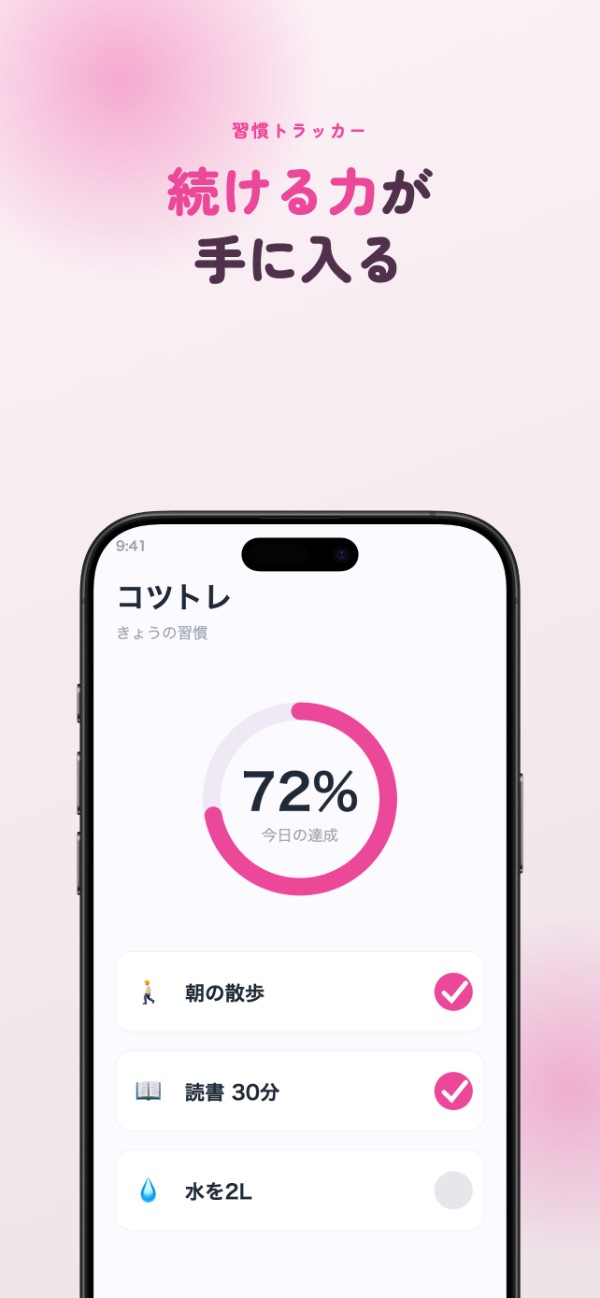
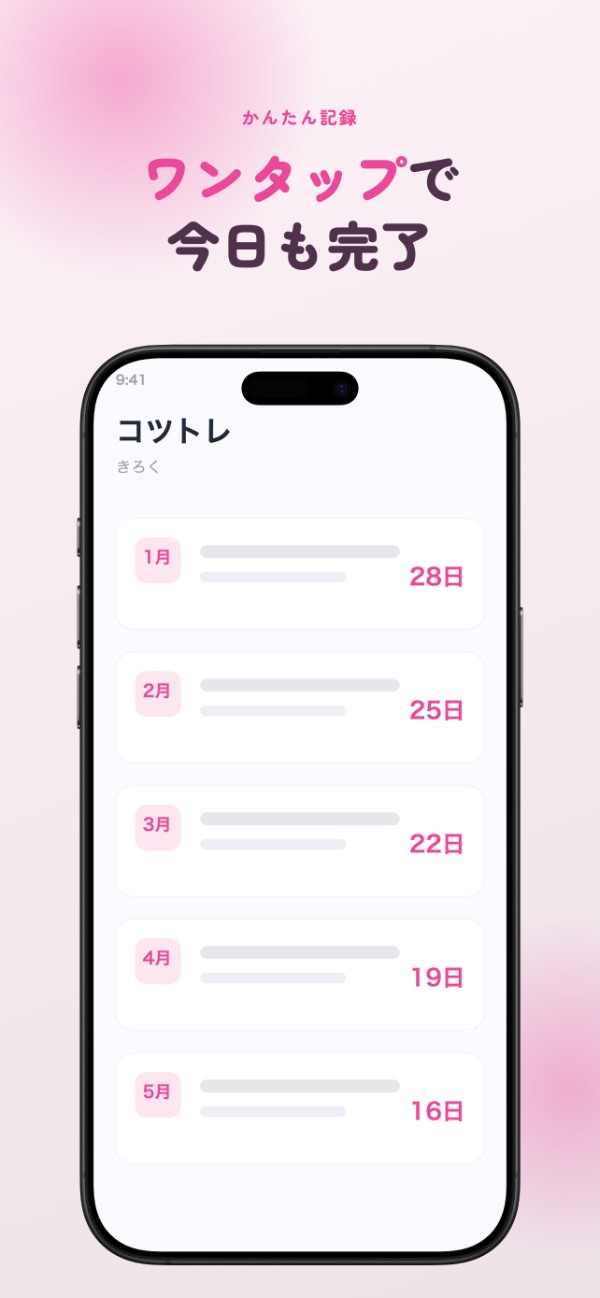
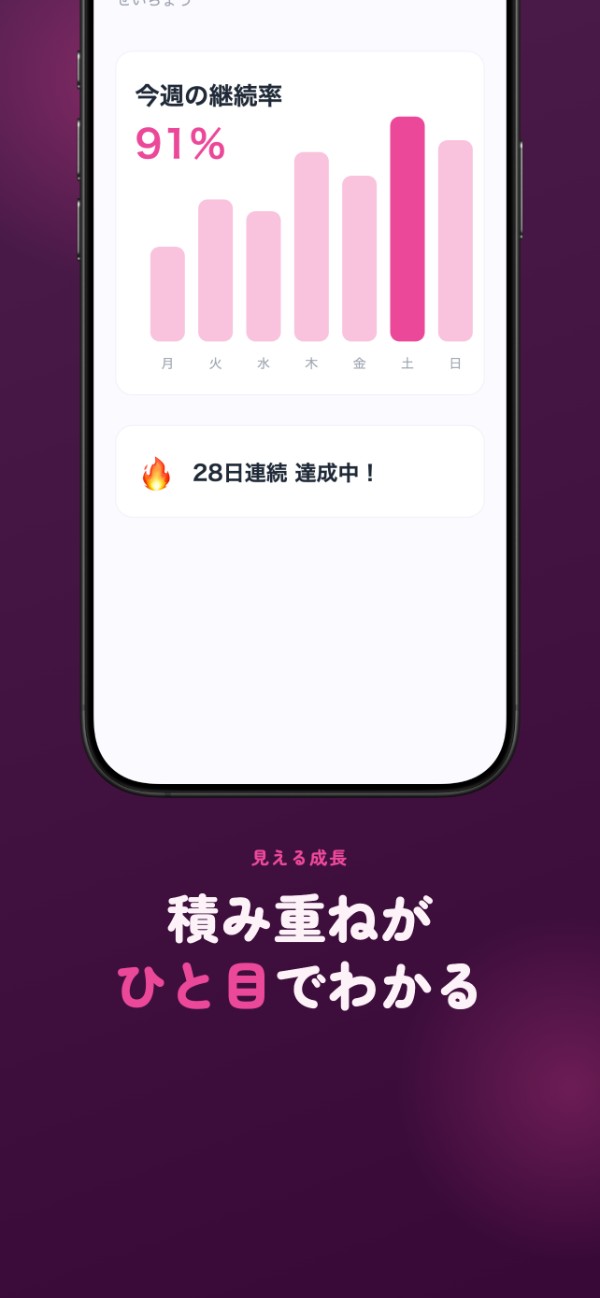
An example built for a fictional app. Headline copy, highlighted words, colors, background, and device frame are all export-ready as shown — you only swap in your own app's screens.
Features
AI writes headline copy from your README
Instead of listing features, AI writes headlines around the change users get — the way top App Store apps do it. Note: generated copy is currently Japanese.
AI generates colors and backgrounds
Pick from 11 ready-made themes, or let AI generate a bespoke palette that matches your app's feel each time. It also suggests one of 5 background treatments — and you can always override it by hand.
Key words highlighted automatically
AI picks the word that lands hardest in each headline and sets it in the accent color — the single-word emphasis that professional store ads rely on, done for you.
Images never leave your device
Screenshots you import are stored only in the browser (IndexedDB), so you can safely work with screens from an unreleased app.
Typeset beautifully in Japanese
Nine Japanese typefaces — gothic, rounded, mincho and more — with the fonts embedded in the exported images, so Japanese text really looks the part.
Export every App Store size at once
Export 6.9 / 6.5 / 6.3 / 6.1 inch as PNGs in a single pass, ready to upload straight to App Store Connect.
Credits and attribution
App SS's editor design and export pipeline were rebuilt from the MIT-licensed ParthJadhav/app-store-screenshots project, adapted for Japanese text and AI copy generation. Many thanks to the original project.
Japanese fonts include Noto Sans JP, Zen Maru Gothic, and Noto Serif JP (SIL Open Font License).
Usage limits
AI copy generation shares its quota with Code Tweet and note Draft. After signing in with GitHub, it's free for 3 generations a month; top up with a credit pack (from 10 generations for ¥100) if you need more. Editing and exporting in the editor are free and unlimited — only a watermark-free export costs one generation.
See pricing details →